Latex Workflow Setup with Neovim (LazyVim) on Arch Linux DWM
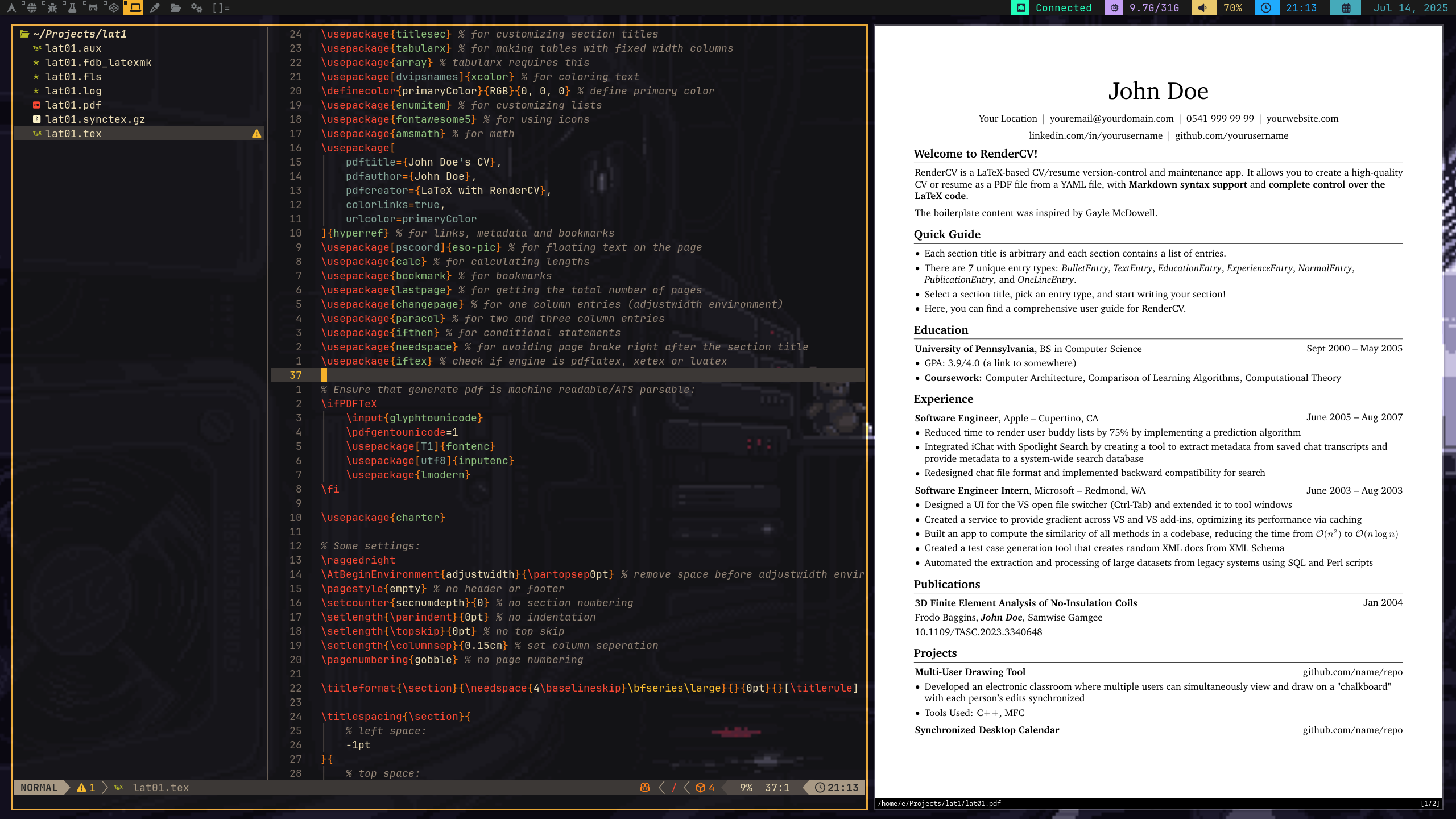
Configuring a complete LazyVim + VimTeX environment for LaTeX on Arch Linux with DWM.
1. Prerequisites
Required Packages
Install the essential LaTeX and development tools:
sudo pacman -S --needed texlive-most \
  zathura zathura-pdf-mupdf \
  neovim ripgrep fd nodejs npm \
  lazygit git unzip wget
texlive-most: Complete LaTeX distribution.zathura: Lightweight PDF viewer, integrates well with VimTeX.ripgrep,fd: Used by Telescope, LazyVim fuzzy finder.
Optional but Recommended:
yay -S latexindent perl-log-log4perl perl-yaml-tiny
For automatic formatting using latexindent.pl.
Arch Wiki Reference:
2. Install LazyVim
Follow the official LazyVim install:
git clone https://github.com/LazyVim/starter ~/.config/nvim
nvim
On first launch, it will auto-install all plugins.
3. Install VimTeX Plugin
Edit your ~/.config/nvim/lua/plugins/latex.lua:
return {
  {
    "lervag/vimtex",
    lazy = false,
    init = function()
      vim.g.vimtex_view_method = "zathura"
      vim.g.vimtex_compiler_method = "latexmk"
    end,
  },
}
Then rebuild LazyVim plugins:
:Lazy sync
4. LaTeX Live Preview with Zathura
Make sure Zathura opens the compiled PDF automatically and supports backward/forward search:
Required LaTeX preamble
\usepackage{pdfsync} % Optional for better syncing
You can then use:
\ll— Compile document\lv— Open viewer (Zathura)\lk— Stop compiler
Ensure synctex is enabled in your latexmkrc or .latexmkrc file:
$pdf_mode = 1;
$pdflatex = 'pdflatex -synctex=1 -interaction=nonstopmode %O %S';
5. Example Project Structure
Projects/
  my-cv/
    main.tex
    main.pdf
    style.cls
6. Troubleshooting
Zathura not opening or preview not syncing?
- Run
:messagesto see errors. - Make sure you have
zathura-pdf-mupdfbackend. - Check for correct filetype:
:set ft=tex - Check
:VimtexInfo
Compilation not working?
Make sure latexmk exists:
which latexmk
If not:
sudo pacman -S texlive-binextra
Note: Since early 2024, latexmk has been moved from the deprecated latexmk package into texlive-binextra.
For more info: Arch Forum Thread and latexmk discussion
7. Resources & References
Now you’re good to write your papers, CVs, or thesis like a real Arch Chad. Happy TeXing!